Short answer: The difference between an e-Invoice (e-Fatura) and an e-Archive invoice (e-Arşiv) in Turkey depends on who you are invoicing. If the buyer is registered in the e-Invoice system, the invoice is sent as an e-Invoice directly to the buyer's system through the Revenue Administration's infrastructure. If the buyer is not registered or is a consumer, it is issued as an e-Archive invoice and sent electronically, for example by email. Both have the same legal value as a paper invoice.
With e-Transformation, invoicing has become largely digital, yet "which invoice should I issue?" is still one of the most common questions. An invoice of the wrong type can be rejected by the buyer and require corrections. In this guide, we at Ankara Muhasebeci explain the differences, how to choose the right type and the most common mistakes.
Below you will find a comparison table, a decision chart, a concrete example, how to correct an invoice, how to switch to the system and short answers to common questions.
What is an e-Invoice?
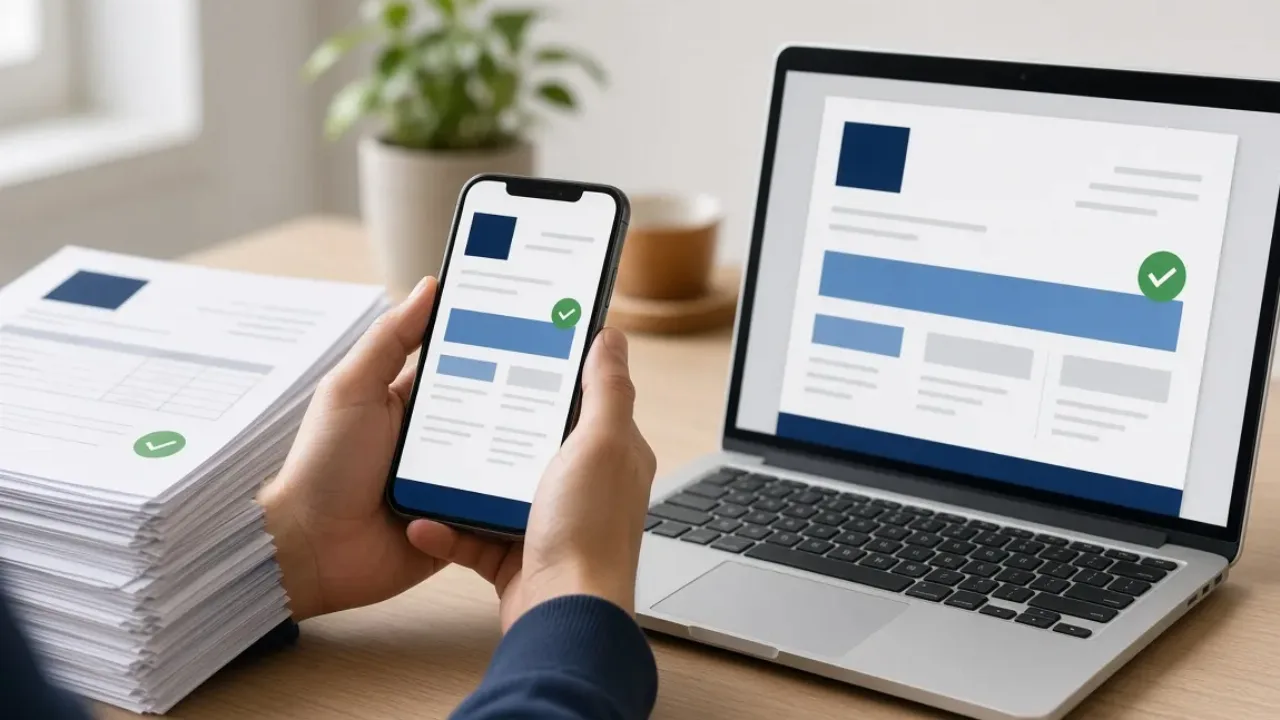
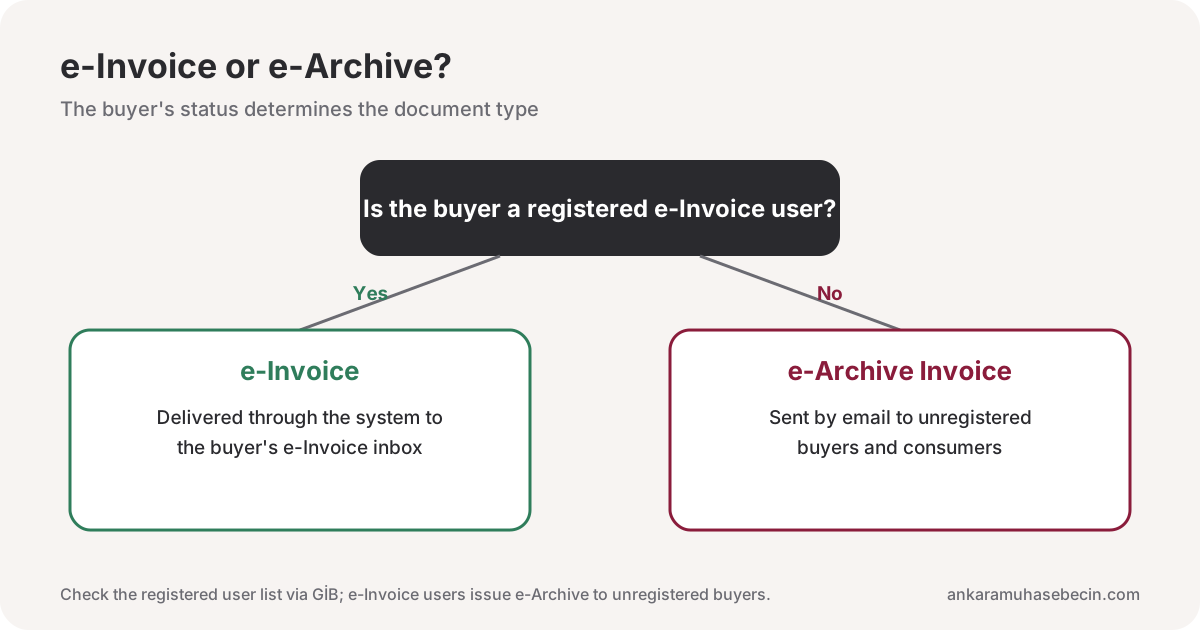
An e-Invoice is an electronic invoice exchanged between taxpayers registered in the e-Invoice system. It travels from the sender's system to the buyer's through the Revenue Administration's (GİB) infrastructure and never needs printing.
There are two main scenarios. Under the basic invoice scenario, the buyer cannot accept or reject the invoice. Under the commercial invoice scenario, the buyer can accept or reject it through the system within the period set by the regulations.
What is an e-Archive invoice?
An e-Archive invoice is issued to taxpayers not registered in the e-Invoice system and to consumers. It is created and stored electronically and sent to the buyer electronically, such as by email. Invoices that online stores issue to consumers are mostly e-Archive invoices, and their details are reported to the Revenue Administration.
e-Invoice vs e-Archive at a glance
| Feature | e-Invoice | e-Archive invoice |
|---|---|---|
| Buyer | Registered e-Invoice users | Unregistered taxpayers and consumers |
| Delivery | Through GİB infrastructure to the buyer's system | Electronically to the buyer, e.g. by email |
| Accept / reject | Possible under the commercial scenario | No acceptance mechanism in the system |
| Reporting | Transmitted through the system | Details reported to GİB |
| Typical use | Business-to-business sales | E-commerce and consumer sales |
| Legal value | Same as paper | Same as paper |
How do you decide which to issue?
The decision rests on one question: is the buyer registered in the e-Invoice system? If yes, issue an e-Invoice; if not, an e-Archive invoice. You can check the registered user list on GİB or use your invoicing software's lookup; most integrator software does this automatically.
An example
Consider an office supplies business in Ankara making three sales on the same day:
- To a limited company in Kızılay: the buyer is registered, so an e-Invoice goes straight to its system.
- To a consumer via the website: the buyer is a consumer, so an e-Archive invoice is emailed.
- To a small unregistered business: although a taxpayer, it is not in the e-Invoice system, so an e-Archive invoice is issued.
The same business uses both types depending on the buyer; automatic lookup in the software makes this easy and removes the risk of guessing the buyer's status.
Who must use e-Invoice?
The obligation to switch depends on turnover thresholds, sector and criteria such as online sales. Because GİB updates these from time to time, check the current rules with your financial advisor. Businesses outside the scope can also join voluntarily. See our e-Transformation service.
How is a wrong invoice corrected?
The route depends on the document type and status. e-Archive invoices can be cancelled under certain conditions. For e-Invoices under the commercial scenario, the buyer can reject through the system; under the basic scenario, or once the rejection period has passed, corrections are usually made with a return invoice or other routes provided by the regulations. Ask your advisor before correcting, and reflect every cancellation, rejection or return in your records.
How do you switch to e-Invoice?
There are two main routes: GİB's free portal, practical for low invoice volumes, or private integrator software, which can connect to accounting software, your online store or marketplace panel and saves time at high volumes.
- Choose the route: GİB portal or private integrator.
- Obtain an electronic signature (individuals) or a financial seal (companies).
- Apply and activate the user account.
- Set up the template, numbering and buyer lookup.
- Issue the first invoices carefully and match them with your records.
How long are electronic invoices kept?
Like paper invoices, they must be kept for the periods set by tax and commercial law, intact and ready to present on request. If you use an integrator, check the scope of its storage service; if you use the portal, check your own backups. Make sure you keep access to the archive if you change provider.
E-commerce, marketplaces and couriers
Online sellers mostly issue e-Archive invoices to consumers, while marketplaces send them e-Invoices for commission and fees, so both types are used together. See marketplace payout reconciliation and starting an e-commerce company. Independent couriers also usually issue e-Archive invoices, switching to e-Invoice if the platform is registered; see how to get a courier tax certificate.
Common mistakes
- Issuing e-Archive to a registered buyer: an e-Invoice is required instead.
- Incomplete buyer details: a wrong tax number or name means correction.
- Late invoicing: invoices must be issued within the legal period.
- Unrecorded cancellations and rejections: these must be matched in the books.
Our VAT calculator separates VAT-inclusive and exclusive amounts.
Frequently asked questions
What is the difference between e-Invoice and e-Archive?
An e-Invoice is exchanged between registered taxpayers through GİB's infrastructure; an e-Archive invoice is issued to unregistered buyers and consumers and sent electronically.
How do I know if a buyer is an e-Invoice user?
Check GİB's registered user list or your invoicing software's lookup using the buyer's tax number.
Can an e-Archive invoice be printed?
It is mainly delivered electronically; where the regulations allow, a printed copy can be given. Discuss the details with your advisor.
Can an e-Invoice be rejected?
Under the commercial scenario, the buyer can reject it through the system within the legal period; under the basic scenario, this is not possible.
Can both be issued with the same software?
Yes. Most integrator software checks the buyer's status and lets you issue both types from the same screen.
What do I need to switch to e-Invoice?
An electronic signature for individuals or a financial seal for companies, then an application through the GİB portal or a private integrator.
Conclusion
The distinction may look complex, but it comes down to one question: is the buyer registered for e-Invoice? Answering it correctly for every invoice prevents corrections and problems with buyers. Set up properly, electronic invoicing cuts paper, printing and archiving, and speeds up bookkeeping. Plan the switch around your invoice volume and sales channels so that the system saves you time. When in doubt about a specific buyer, check the registered user list before issuing the invoice.
At Ankara Muhasebeci, we plan and run e-Invoice, e-Archive and e-Ledger transitions for businesses. See our e-Transformation page, or reach us via the phone and WhatsApp line on our contact page.